
YouTube Video Downloader
Download supported YouTube videos and Shorts in an available quality, up to 4K when the source and format provide it.
Download Now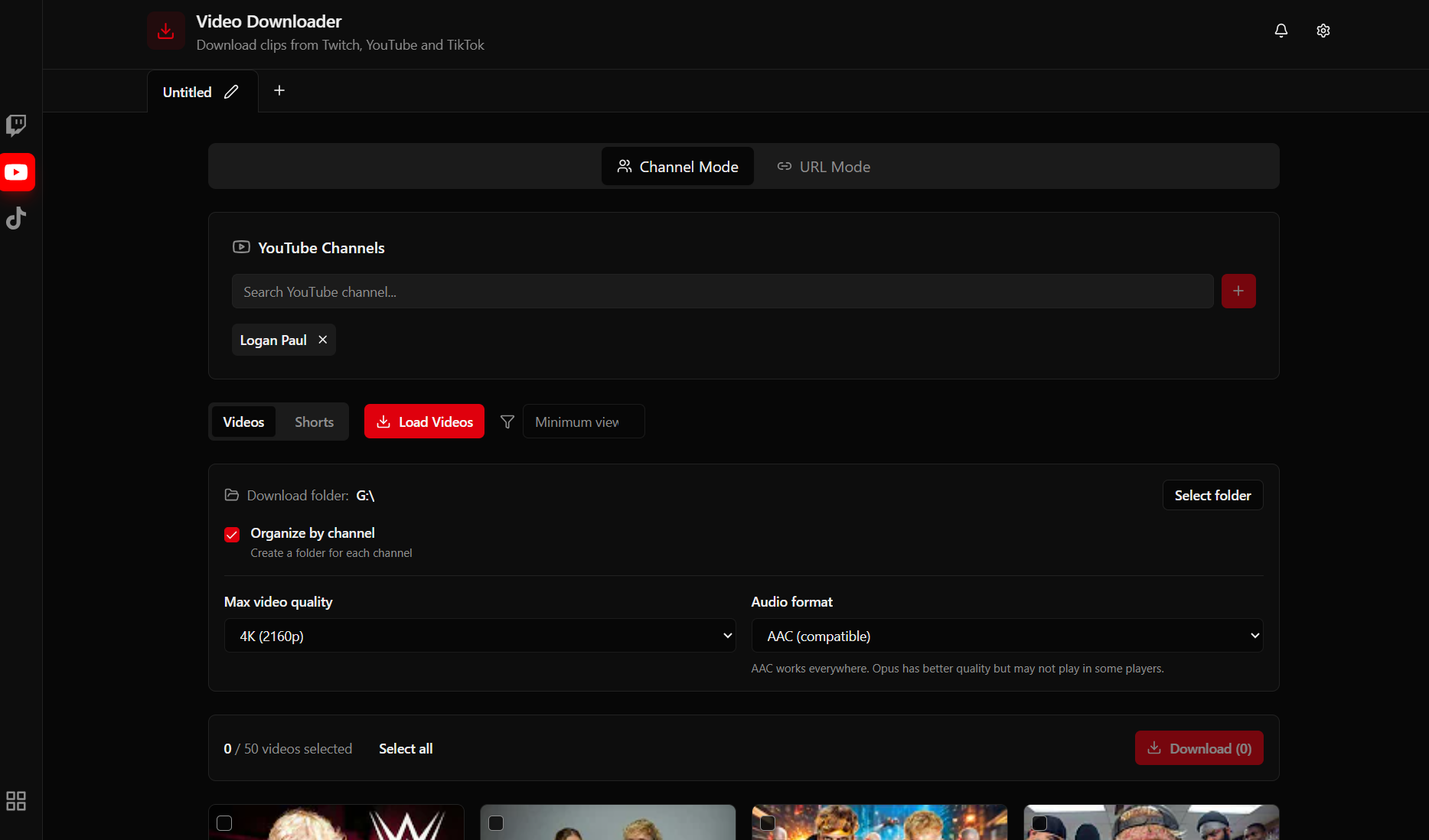
How to Download YouTube Videos
Copy the YouTube URL
Find the video or Short you want to download on YouTube and copy the URL from your browser address bar.
Choose Quality
Paste the URL in ClipsDownloader and select your preferred quality. Options include 720p, 1080p, and 4K when available.
Download Instantly
Click download and watch your video save at maximum speed. Multi-threaded downloads ensure fast completion.
YouTube Downloader for Windows
Native Windows application for downloading YouTube videos and Shorts. Fast, reliable, and high quality.
Up to 4K Quality
Download videos in the highest available quality, up to 4K resolution.
Shorts Support
Download YouTube Shorts just as easily as regular videos.
Fast Downloads
Multi-threaded engine for maximum download speed.
Lightweight & Fast
- Windows 10 or Windows 11
- Only 50MB installed
- Minimal resource usage
- No background processes
Frequently Asked Questions
Can I download YouTube Shorts?
Yes! ClipsDownloader supports both regular YouTube videos and Shorts. Just paste the URL and download.
What video quality can I download?
Available choices depend on the source and format. Options may include 720p, 1080p, or 4K when provided; verify the downloaded file before archiving.
Is the YouTube downloader free?
ClipsDownloader is available for a one-time payment of 39.99 EUR. No subscription, no hidden fees. Pay once and download unlimited videos forever.
Is it legal to download YouTube videos?
YouTube officially permits downloading your own uploads and specific offline features. For other content, obtain permission and follow copyright law and YouTube's terms.
Ready to Download YouTube Videos?
Save videos and Shorts in high quality. One tool for all your video downloads.
Get ClipsDownloader