
Twitch Clip Downloader for Windows
The fastest and easiest way to download Twitch clips. Save clips from any streamer in seconds, not hours.
Download NowClipsDownloader at a glance
ClipsDownloader is a Windows 10/11 desktop application that finds Twitch clips by streamer, filters the results, and downloads selected clips in a batch for a one-time 39.99 EUR license.
- Price
- 39.99 EUR, one-time payment
- Platform
- Windows 10 and Windows 11
- Core workflow
- Streamer search, filters, preview, batch selection, and local organization
- Best for
- Twitch creators, video editors, social media managers, and clip archivists
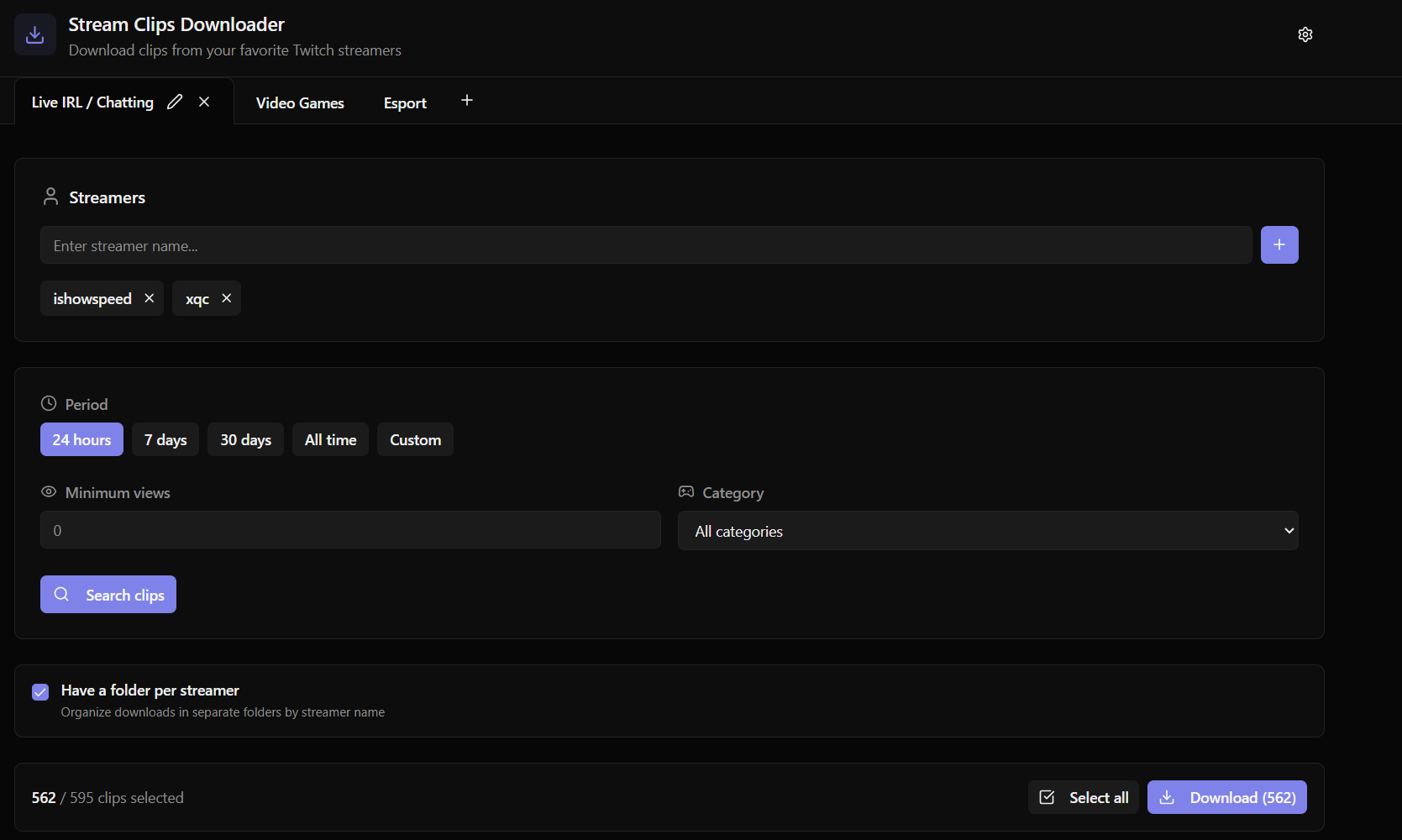
How to Download Twitch Clips
Enter the Streamer Name
Simply type the Twitch username of the streamer whose clips you want to download. ClipsDownloader will automatically fetch all available clips.
Apply Filters
Filter clips by date range, minimum views, or specific games. Find exactly the clips you're looking for without scrolling through hundreds of results.
Select Your Clips
Preview clips with hover playback and select the ones you want. Choose individual clips or select all matching your filters for bulk download.
Download Instantly
Hit download and watch your clips save at maximum speed. Multi-threaded downloads ensure you get your clips as fast as your connection allows.
Twitch Clip Downloader for Windows
Native Windows application built for performance. No browser extensions, no web limitations.
Lightning Fast
Multi-threaded downloads up to 10x faster than browser-based tools.
Smart Filters
Filter by date, views, game, and more. Find clips instantly.
Auto Organization
Clips automatically organized by streamer, date, or custom folders.
Lightweight & Fast
- Windows 10 or Windows 11
- Only 50MB installed
- Minimal resource usage
- No background processes
Frequently Asked Questions
Is this Twitch clip downloader free?
ClipsDownloader is available for a one-time payment of 39.99 EUR. No subscription, no hidden fees. Pay once and use forever with free updates included.
Can I download multiple Twitch clips at once?
Yes! Bulk downloading is one of our core features. Select multiple clips or use filters to download hundreds of clips simultaneously with multi-threaded speed.
Do I need a Twitch account to download clips?
Yes, you need to connect your Twitch account to use ClipsDownloader. This allows us to access clips through the official Twitch API and ensures reliable downloads.
What video quality are the downloaded clips?
Clips are downloaded in their original quality, exactly as they appear on Twitch. No compression, no quality loss.
Is it legal to download Twitch clips?
Download content you own, are authorized to use, or may lawfully use. A downloaded file does not transfer copyright; follow Twitch rules and applicable law.
Ready to Download Twitch Clips?
Download, filter, and organize Twitch clips in one repeatable Windows workflow.
Get ClipsDownloaderTwitch creators and editors using ClipsDownloader
Five direct customer reviews about batch downloads, filters, speed, and support.
4.9/5 · 5 customer reviews
Feedback collected through the customer form and direct support conversations. Identifying details are shortened for privacy.
“Wow, merci énormément ! Ce logiciel me permet de télécharger plein de clips Twitch d'un coup, je gagne un temps fou.”
“J'ai re-téléchargé les clips ce matin, quel bonheur de pouvoir choisir des dates custom ! Ça m'aurait pris 1h, là ça m'a pris 5 min.”
“Thanks a lot for this tool, it's fast and light. Exactly what I needed for my workflow.”
“Woow so fast”
“The ability to download twitch clips and the customer service”
Practical resources
Get more from your Twitch clip downloader
Choose the right batch workflow, preserve source quality, and prepare clips for every editing format.